
# Satellites
The satellites settings displays all satellite ephemeris and clock parameters which are part of the current scenario. Additionally, the inter-signal bias (ISB) and the received signal power (RSP) for individual satellites can be set.

# Simulation of satellite orbits
Two main simulation modes for satellites orbits exist:
- Ephemeris based simulation: the most appropriate ephemeris based on the current simulation time and the Time of Ephemeris (TOE) of the imported ephemeris file is used
- Runge Kutta orbit integration: the Keplerian elements (ephemeris) are used only for initialization of the orbit integration module which is a numerical integration of the satellite state based on gravitational forces.
See Computational Models for details.
The mode for satellite orbit integration can be set in the General Settings tab.
Note
In the simulation, all satellite orbits are stored as Keplerian elements with perturbation parameters independent of the GNSS type. For SBAS and GLONASS satellites the respective state vectors are computed from the Keplerian elements during the simulation and encoded into the respective navigation messages. When importing SBAS or GLONASS orbits from the appropriate RINEX files, the Keplerian elements are computed from the given state vectors.
# Satellite Clock Settings
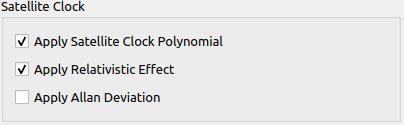
The satellite clock settings determine whether different effects are simulated for all satellite clock models.
| Parameter | Description |
|---|---|
| Apply Satellite Clock Polynomial | Simulate sat clock error using polynomial. |
| Apply Relativistic Effect | If enabled, the relativistic effect of the satellite clocks is simulated. |
| Apply Allan Deviation | If enabled, the Allan deviation (random walk stochastic clock error) is simulated. |
# Satellite Ephemeris details
All satellites of one system are grouped in tabs on the top of the section.
- Single satellites can be enabled/disabled via the checkbox in the appropriate table row.
 Adding Ephemeris: ephemeris can be loaded from RINEX files.

The highlighted sections in the screenshot above are:
- The satellite clock settings:
- Satellite Clock type: Based on the configured clock-type parameters the Allan Variance model is used for the computation of the satellite clock noise. See Satellite Clock Noise for details.
- Time offset: the fractional time offset of the system time to GIPSIE® internal time scale (UTC) in [s].
- The ephemeris table view can be switched from ephemeris to almanac view where less information is displayed (i.e. the orbit perturbations are not visible). It has no effect on the precision of the simulation.
- Inter Signal Bias & Received Signal Power
- see Inter Signal Bias (ISB) for details.
- see Receiver Signal Power (RSP) for details.
# Editing Ephemeris
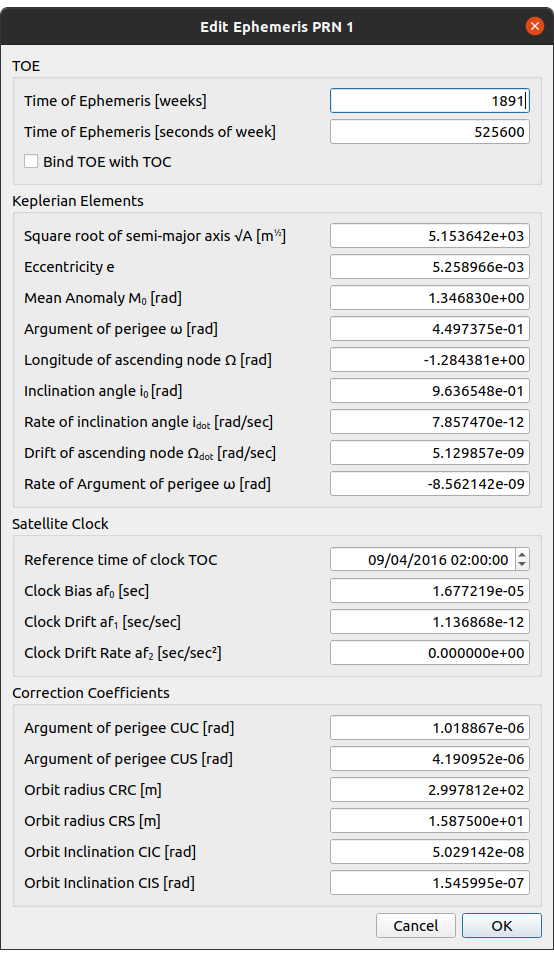
By clicking on the  button within the ephemeris table, a dialog opens which allows for editing of existing ephemeris.
# Inter Signal Bias
An inter-signal bias [m] can be set for each signal available.

# Received Signal Power
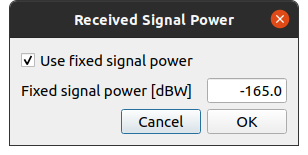
The received signal power can be switched on or off.
- Off: the simulation determines the received signal power of each signal depending on the receiver position and the satellite position and all effects that affect the signal propagation.
- On: the received signal power is set to the given value and does not change [dBW].
# Loading new Ephemeris
Load new ephemeris by clicking on the load ephemeris icon .
When a RINEX file has successfully loaded, a dialog appears, that allows the user to selected the satellites of a specific GNSS type to import to the simulation.

Note
Only the systems which are enabled within the general tab are available here.