
# Atmosphere
The Atmosphere settings cover the following options:
- Ionosphere Settings
- Troposphere Settings
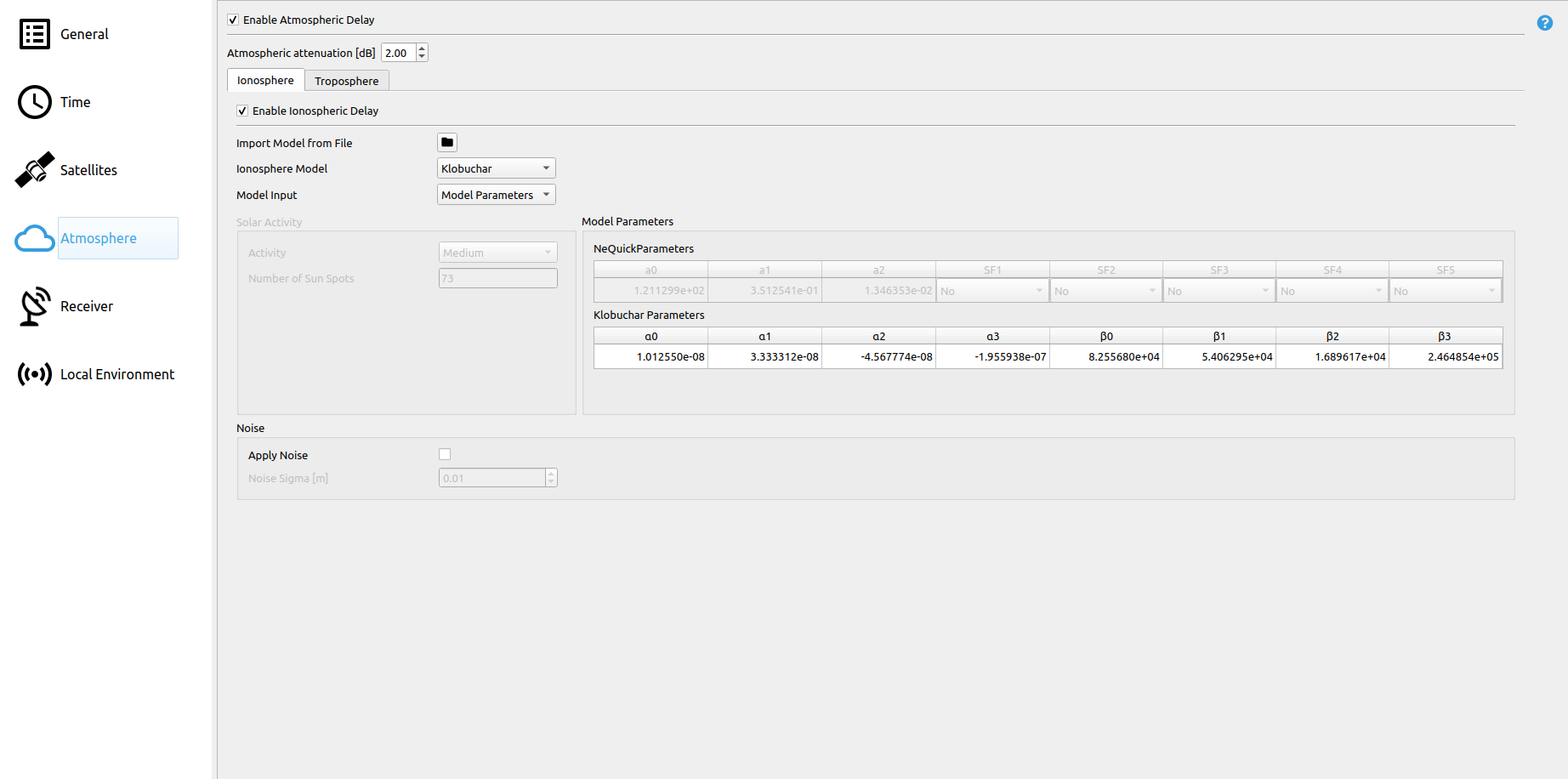
The settings which apply for both Ionosphere and Troposphere are the atmospheric attenuation.
| Parameter | Description |
|---|---|
| Atmospheric attenuation | Atmospheric attenuation of satellite signals in [dB]. |
# Ionosphere

| Parameter | Description |
|---|---|
| Import Model from File | Imports model parameters from a RINEX navigation message file.
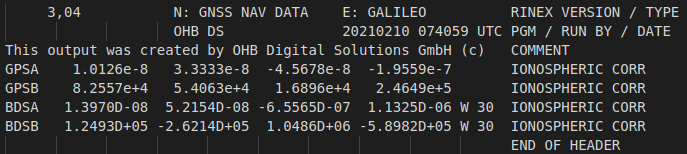 |
| Ionosphere Model | Determines which computational model is used by the simulation.
|
| Model Input |
Specifies the user input type of Ionosphere parameters:
|
See Ionosphere models for a detailed list of utilized models.
# Solar Activity
Ionospheric activity largely depends on the ionization of the Earth's atmosphere, which in turn is depending on the number of sunspots. Higher solar activity leads to a higher sunspot number and thus higher ionization of the atmosphere.
Users can either select pre-defined activity levels or directly insert the number of sunspots, which is used to automatically determine suitable parameters for the utilized ionospheric models. The ionospheric delays are then simulated according to the chosen model.
# Model Parameters
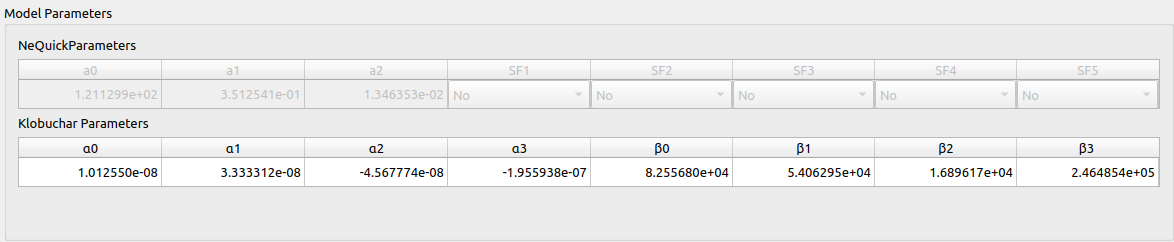
The Ionosphere model parameters can be set here. Depending on the selected model, only one table is available:
| Parameter | Description |
|---|---|
| Klobuchar Parameters | Ionosphere parameters for the Klobuchar Ionosphere Model:
|
| NeQuick Parameters | Ionosphere parameters for the NeQuick Ionosphere Model:
|
See Ionosphere models for a detailed list of utilized models.
# Noise

| Parameter | Description |
|---|---|
| Apply Noise | Determines, whether AWGN is applied to ionosphere-based delays. |
| Noise σ [m] | The standard deviation of the normal distribution. |
# Troposphere

| Parameter | Description |
|---|---|
| Set Parameters manually | If enabled, parameters for the chosen troposphere model can be set manually. Otherwise a fixed internal model is used. |
| Troposphere Model | Available models are:
|
See Troposphere models for a detailed list of utilized models.
# Hopfield
| Parameter | Description |
|---|---|
| Temperature [°C] | Temperature |
| Atmospheric Pressure [mbar] | Air pressure |
| Humidity [%] | Relative Humidity |
| Heigth Polytropic Layer Wet [km] | Height of polytropic wet layer |
# Galileo Reference
| Parameter | Description |
|---|---|
| Temperature [°C] | Temperature |
| Atmospheric Pressure [mbar] | Air pressure |
| Humidity [%] | Relative Humidity |
# GPT2w
| Parameter | Description |
|---|---|
| Temperature [°C] | Temperature |
| Atmospheric Pressure [mbar] | Air pressure |
| Humidity [%] | Relative Humidity |
| Grid Cell Size [° x °] | Grid cell size in [°] of the grid file. Supported values are [1°, 5°] |
# Noise
| Parameter | Description |
|---|---|
| Apply Noise | Determines, whether AWGN is applied to troposphere-based delays. |
| Noise σ [m] | The standard deviation of the normal distribution. |
← Satellites Receiver →